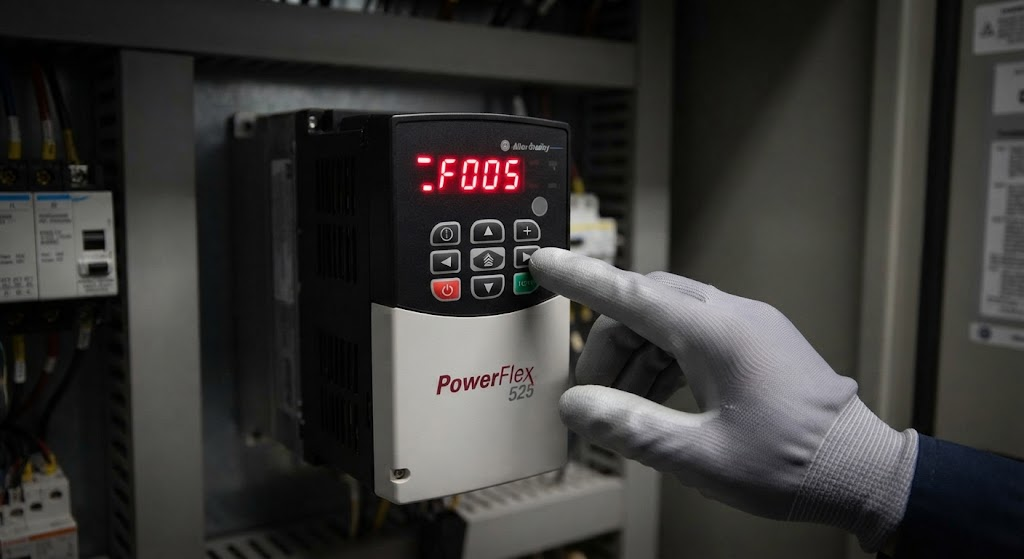
Always confirm the code on the drive display or in Connected Components Workbench or Studio 5000 against Rockwell documentation for the installed model and firmware. Fault numbers and corrective actions should be verified before a reset or parameter change. This table is a first-check reference, not a substitute for the manufacturer’s manual or site safety procedure.
| Code | Typical meaning | First checks |
|---|---|---|
| F003 | Power loss | Incoming power, disconnect, fuses, undervoltage events, and the fault timestamp |
| F004 | Undervoltage | Supply voltage, wiring, shared transformer loading |
| F005 | Overvoltage | Decel too aggressive, regen, high line voltage |
| F006 | Motor stalled | Mechanical bind, boost, current limit, load |
| F007 | Motor overload | Motor FLA vs parameter, duty cycle, cooling |
| F008 | Heatsink overtemp | Fan, ambient, enclosure heat, mounting |
| F012 | HW overcurrent | Shorted motor leads, ground, failed motor |
| F013 | Ground fault | Motor insulation, cable damage, moisture |
| F081 | Comm loss | EtherNet/IP adapter, PLC inhibit, cable, switch, and connection status |
How to use a fault code
Record the code before resetting it, including whether it occurred during acceleration, steady operation, or stopping. Check the drive display, fault queue, motor current, process load, and recent changes. A reset may restore production temporarily while removing evidence of the original condition.
Power loss and undervoltage faults require attention to supply and power quality. Overvoltage may relate to deceleration or regeneration. Overload and stall faults require motor data, mechanical load, cooling, and acceleration checks. Ground and overcurrent faults require qualified electrical investigation of motor leads, insulation, and the drive.
When to use the troubleshooting guide
This page is intended for lookup. For a step-by-step process covering enable circuits, control source, motor parameters, network control, and repeated trips, read PowerFlex 525 troubleshooting. Work on energized equipment only under approved procedures and with qualified personnel. For on-site diagnosis, see industrial troubleshooting.
Ready to bring your project to life?
Contact Us