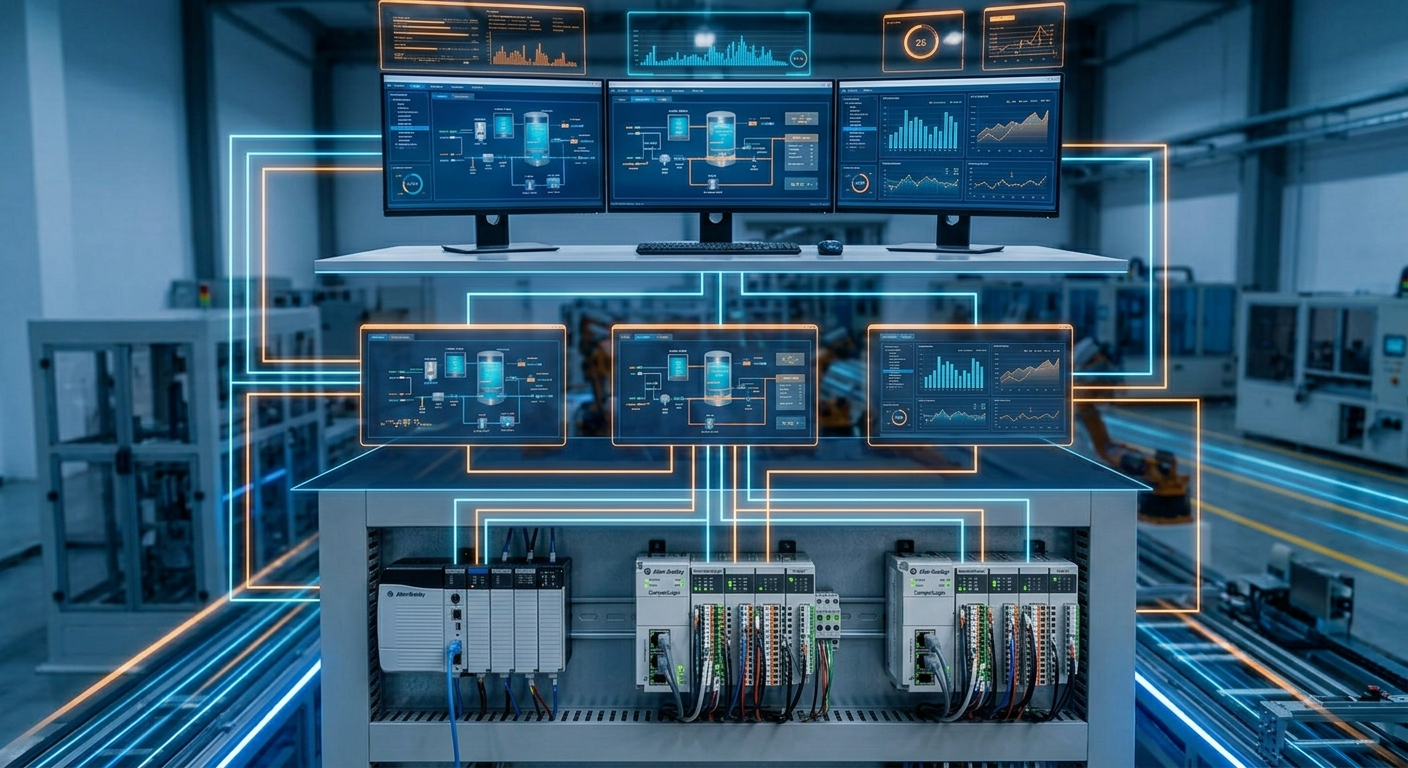
PLC, HMI, and SCADA are often mentioned together because they exchange data, but they solve different problems. Confusing their roles can lead to poor troubleshooting and systems where an operator screen is expected to compensate for missing control logic.
The short version is: the PLC controls the machine, the HMI gives people a local interface, and SCADA supervises information across machines or a plant. The boundaries vary by platform, but the distinction is useful when selecting equipment and diagnosing faults.
PLC: real-time machine control
The PLC reads inputs, executes logic, and commands outputs. Interlocks, sequence steps, permissives, timers, counters, fault reactions, and machine states belong in the control program. A PLC may also communicate with remote I/O, drives, robots, safety systems, and other controllers.
A PLC should be able to maintain the intended control behavior without relying on an HMI screen being open. The HMI may request a start or provide a recipe, but the PLC should validate that request against safety and process conditions.
HMI: the operator interface
An HMI presents machine status and gives authorized operators a way to start, stop, select modes, enter recipes, acknowledge alarms, and view diagnostics. A useful HMI translates controller state into information a person can act on. “Faulted” is less helpful than an alarm that identifies the device, condition, and recovery step.
The HMI normally reads controller tags and writes commands or setpoints. It does not replace the PLC’s interlocks. If a screen is offline, the machine may lose operator visibility, but that does not necessarily mean the PLC or field wiring has failed. For HMI-specific diagnosis, see HMI communication errors.
SCADA: supervisory information
SCADA systems collect information from multiple PLCs, machines, meters, or gateways. They commonly provide plant-wide status, trends, alarm history, production counts, reports, and sometimes batch or historian functions. SCADA helps operations and engineering see patterns that are difficult to observe from one local HMI.
SCADA is not normally the place for fast machine interlocks. A network interruption between SCADA and a PLC should not silently remove a guarding or motion condition. The PLC and safety system remain responsible for the time-critical control boundary.
How the layers work together
| Layer | Primary job | Typical users | Typical failure symptom |
|---|---|---|---|
| PLC | Execute machine sequence and interlocks | Controls and maintenance | Outputs, states, or permissives are wrong |
| HMI | Provide local operation and diagnostics | Operators and maintenance | Stale values, missing tags, or unavailable screens |
| SCADA | Supervise multiple assets and retain data | Operations, engineering, management | Missing trends, alarms, or plant-level data |
Where to start when something will not run
Start at the machine boundary. Check the PLC mode, controller faults, safety status, I/O states, and active permissives. Then check the HMI for the operator-facing explanation. Only after the machine control path is understood should a historian or SCADA screen be used to investigate trends and recurring conditions.
TechControl can help define the boundary between PLC logic, HMI development, and supervisory data so each layer remains maintainable. See the PLC programming and HMI development services for related project support.
Ready to bring your project to life?
Contact Us