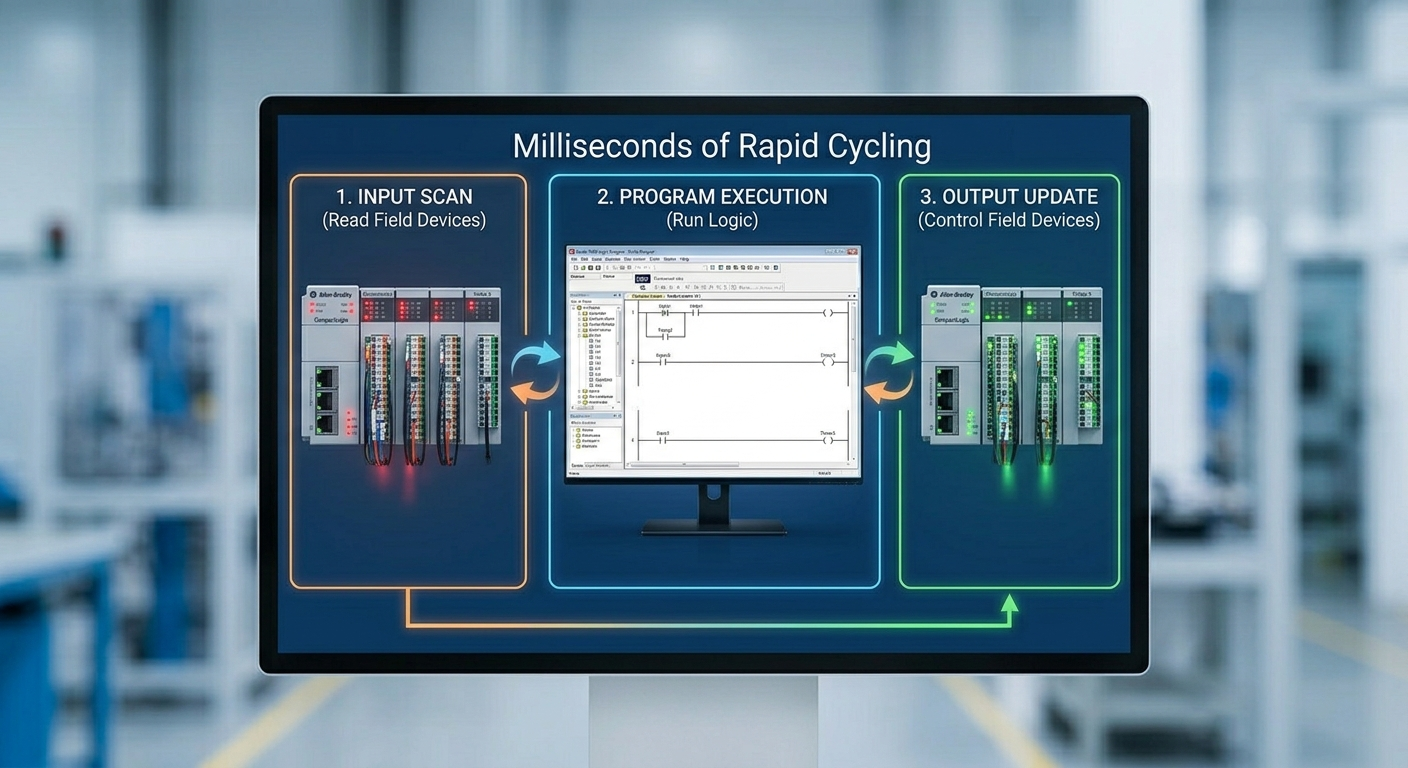
The PLC scan cycle is the repeated execution process that lets a controller observe inputs, solve logic, update outputs, and communicate with the rest of the system. Understanding it helps explain timers, one-shots, response timing, and troubleshooting symptoms.
The basic sequence
- Input data is read or made available to the task.
- Scheduled logic and routines execute.
- Outputs and produced data are updated according to the controller model.
- Communications, diagnostics, and housekeeping continue.
Modern controllers may use periodic, continuous, and event tasks, so the simple scan description is a model rather than a promise that every instruction runs in one identical loop.
Why scan timing matters
A short pulse can be missed if it is not latched, captured, or handled by suitable hardware. A long routine can delay lower-priority work. Timers and motion functions use controller timing rules, and a program should not depend on an accidental scan relationship.
One-shots and state
Use edge detection when an operation should happen once after a transition. Use explicit state when a machine step must remain active until feedback or a timeout occurs. This makes a sequence easier to diagnose than a collection of scattered bits.
Troubleshooting timing symptoms
Check task execution, watchdog status, routine duration, communication load, and the logic around the signal. A machine that feels slow may have a process, network, mechanical, or HMI cause rather than an excessive scan. For practical programming guidance, read PLC programming basics.
TechControl supports PLC programming and diagnostics for existing control systems.
Ready to bring your project to life?
Contact Us